Glitch Text Generator
Transform your text into glitchy, corrupted, and fancy styles in seconds.
Glitch Text Generator – Create Glitch, Cursed & Zalgo Text
A Glitch Text Generator turns your normal words into strange, distorted, and corrupted-looking text. Use different effects to create glitch, cursed, Zalgo, creepy, or weird text, then copy it wherever you want.
You don’t need a special font or design software to create these effects. Just enter your text in the generator, choose the style you like, and copy the result for social media posts, gaming profiles, messages, or other platforms.
What Is a Glitch Text Generator?
A Glitch Text Generator is an online tool that changes regular text into Unicode characters and visual effects. The resulting text looks broken, distorted, messy, or corrupted. This generator is useful when you want your text to stand out without downloading a font or installing extra software.
What Is Glitch Text?
Glitch text is regular text changed to give it a corrupted or distorted look. Depending on the effect, characters may appear above, below, or around the original letters.
Some styles are light and easy to read, while others can make the text look heavily broken or difficult to read or recognize.
Glitch Text vs Regular Text
Regular text, like modern fonts for logos, is designed for clear and easy reading. Glitch text focuses more on appearance, giving words a strange or unusual visual effect.
For example, you might use regular text for a username and glitch text for a gaming profile, Discord message, meme, or creative post.
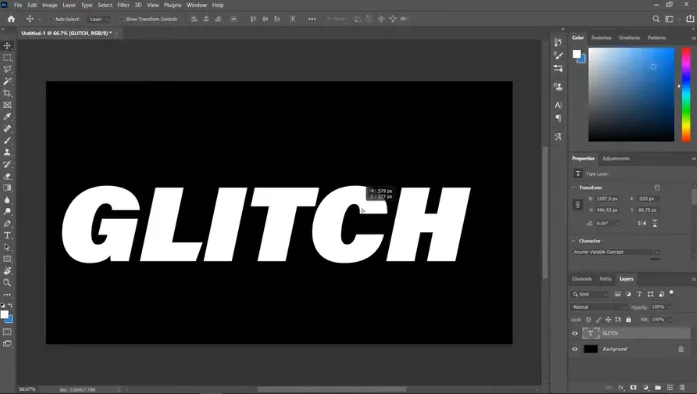
How to Use the Glitch Text Generator
Creating glitch text usually takes only a few seconds using our text generator. You just need to follow some simple steps to create amazing glitchy text in seconds
Enter Your Text
First, start by typing or pasting your normal text into the generator input field. You can use a word, username, phrase, sentence, or a short message.
Choose a Glitch Effect
Select the effect you want to apply. Depending on the generator, you may find styles such as Zalgo, cursed, distorted, creepy, or corrupted text.
Adjust the Glitch Intensity
The generator lets you control how strong the effect should be. A lower intensity keeps the text easier to read, while a higher setting adds more distortion that makes the text much more difficult to read or memorize.
Copy and Paste Your Glitch Text
Once you select the desired text style that you want to use, just copy the generated text. Then paste it into a supported website, app, game profile, message, or social media post.
How Does Glitch Text Work?
Glitch text doesn’t require a downloadable font file or any other software. It uses Unicode characters that can be combined with normal letters to create the distorted look.
Unicode Combining Characters
Unicode includes combining characters that can appear above, below, or around another character. It places these characters around regular letters to produce a glitch-like effect.
That’s why you can easily copy and paste glitch text without installing a special font.
Why Text Looks Corrupted and Distorted
The unusual appearance comes from how different Unicode characters are positioned and displayed. When many combining marks are added to a letter, the result can look broken or distorted.
The final resulting text depends on the device, app, browser, and font being used in the generator.
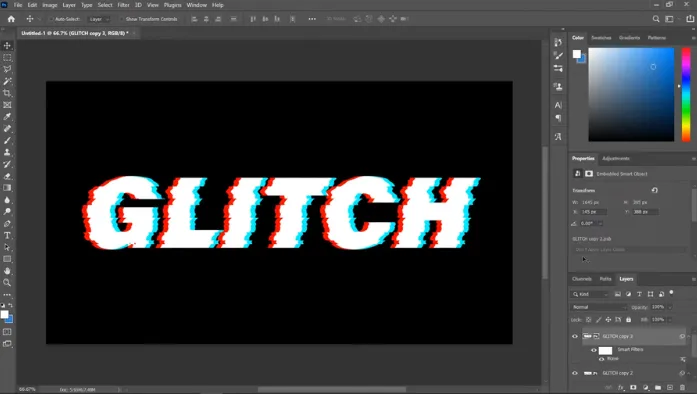
Popular Glitch Text Styles
Different glitch styles create different moods. You can choose one based on how strange or readable you want the final text to be.
Zalgo Text
Zalgo text is a heavily distorted style that uses multiple marks around normal characters. It often creates a chaotic or creepy look. The effect can range from a small amount of distortion to extremely messy text.
Cursed Text
Cursed text is designed to look unusual, strange, or unsettling. It can combine different characters and visual effects to make ordinary words look unfamiliar.
It’s often used for memes, jokes, usernames, and funny or creepy posts.
Corrupted and Distorted Text
This style makes text look as if it has been damaged or corrupted. Letters may appear uneven, overloaded, or visually broken.
It works well when you want a digital-glitch or error-style appearance.
Weird, Creepy and Scary Text
These styles focus on creating an unsettling feeling. They can be useful for horror-themed posts, stories, gaming profiles, or messages.
Freaky and Crazy Text
Freaky text uses unusual characters and combinations to make ordinary words look strange. The effect can be playful, chaotic, or difficult to read depending on its intensity.
Glitch Text Generator Effects
The amount of distortion can change the overall look of your text.
Light Glitch
A light glitch adds a small amount of distortion while keeping the original text easy to understand. It’s a good choice for usernames and social posts.
Medium Glitch
Medium glitch adds more marks and unusual characters. The text becomes more noticeable while remaining readable.
Heavy Glitch
Heavy glitch creates a much stronger corrupted look. It can make the letters look crowded and distorted, which makes it difficult to recognize.
Extreme Glitch
Extreme glitch creates the strongest effect. The resulting text becomes difficult to read, especially on platforms that don’t fully support the characters.
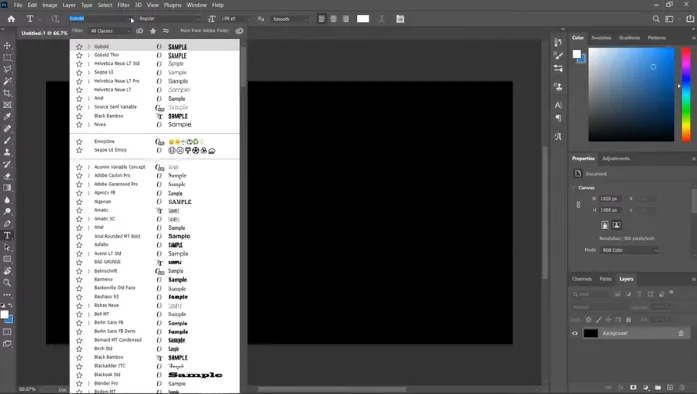
Glitch Text Copy and Paste
One of the main benefits of a Unicode-based generator is that you can easily copy the text directly from the generator.
How to Get Glitch Text
Type your text into the generator and select an effect. After the result appears, use the copy option to place it on your clipboard.
How to Type Glitch Text
You can manually create some Unicode effects, but doing so character by character can be difficult. A generator is faster because it automatically combines the characters for you.
Glitch Text Without Installing Fonts
You don’t need to install a separate font for Unicode glitch text. The generated characters are part of the text itself. But the device or platform still needs to support the characters for them to display correctly.
Where Can You Use Glitch Text?
Glitch text can be used in many places where Unicode characters are supported.
Social Media and Messaging
You can use glitch text in social media bios, captions, comments, usernames, and messages. Keep the effect readable if other people need to understand the text quickly.
Gaming Names and Profiles
Glitch and cursed text make gaming names stand out, similar to the best fonts for tattoos for personal style. Whether a game accepts the characters depends on its username rules.
Discord, Roblox and Minecraft
Some users use Unicode text for Discord profiles, gaming communities, usernames, signs, or other supported areas. Keep in mind that not every field accepts every Unicode character, so you need to test the generated text first.
iPhone and Android
Glitch text can work on both iPhone and Android when the app and system font support the characters being used. If a character isn’t supported, it may appear as a box, question mark, or another replacement symbol.
Glitch Text vs Glitch Font
Glitch text and glitch fonts can look similar, but they work differently.
Is Glitch Text a Real Font?
No, Unicode glitch text is text made from characters and combining marks rather than a traditional font file. A font changes how existing characters look, while Unicode text can contain different characters that produce the visual effect. Want to identify a similar style? You can find a font from an image.
Glitch Unicode vs Downloadable Fonts
Unicode glitch text can usually be copied and pasted directly. A downloadable glitch font needs to be installed and supported by the software where you want to use it. It makes Unicode text convenient for quick usernames, messages, and online posts.
Why Does Glitch Text Look Different?
The same generated text may not look identical on every platform.
Platform and Font Compatibility
Different devices, browsers, apps, and fonts can render Unicode characters differently. A style that looks good on one platform may appear less distorted or more crowded on another.
Character Limits and Display Problems
Some websites limit the number of characters you can enter. Because glitch effects can contain many Unicode characters, a short visible word may count as many characters behind the scenes.
If the text doesn’t work, try reducing the glitch intensity or using a shorter phrase.
Tips for Creating Better Glitch Text
A few simple choices can make your generated text easier to use:
- Start with a short word or phrase.
- Use light or medium effects when readability matters.
- Try heavy effects for memes or horror-themed content.
- Test the text before using it in an important profile.
- Keep a normal version of your text as a backup.
- If characters appear as boxes, try a simpler effect.
- Don’t overload long sentences with extreme distortion.
The best glitch text isn’t always the messiest. Choose an effect that matches where you plan to use it.
Frequently Asked Questions
Conclusion
A Glitch Text Generator makes it easy to turn ordinary words into glitch, cursed, Zalgo, creepy, and distorted text. You can create an effect, copy the result, and paste it into supported apps and platforms without installing a special font.
Try different intensity levels to find a style that looks unusual without becoming impossible to read. If a platform doesn’t display the text correctly, use a simpler effect or reduce the number of Unicode characters.